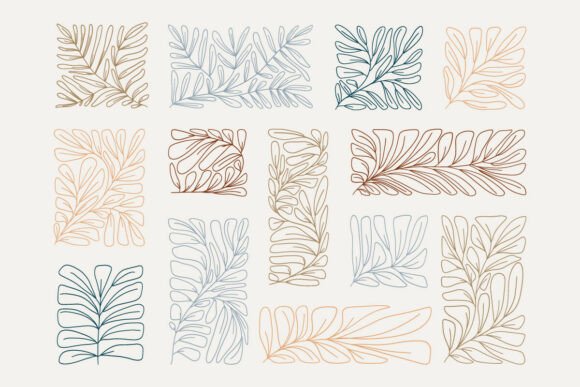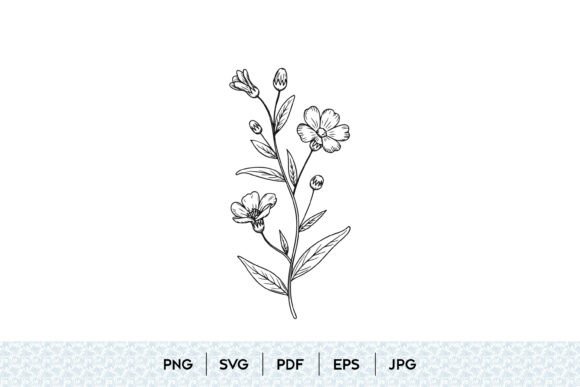
Mastering Wildflower Botanical Line Art SVG for Professional Results
In the world of digital design, few assets offer the versatility and timeless appeal of wildflower botanical line art. Whether you are a small business owner creating branding materials, a hobbyist crafting home decor, or a professional designer working on client projects, these minimalist illustrations provide an elegant foundation. However, the ease of downloading a file often leads to overlooked technical details that can compromise your final product. Understanding the nuances between file formats and design integrity is crucial for achieving high-quality results.
The Trap of Ignoring File Format Specifics
One of the most common mistakes creators make is treating all digital files as interchangeable. When you purchase a bundle labeled as a digital download, it typically includes SVG, PNG, EPS, JPG, and PDF formats. While this variety seems convenient, using the wrong format for your specific tool can lead to pixelation, editing difficulties, or wasted time.
For instance, many beginners attempt to use a PNG file for cutting machines like Cricut or Silhouette Cameo. While PNGs are excellent for sublimation printing or web graphics due to their transparent backgrounds, they are raster images. This means they are made of pixels. If you try to scale a PNG up for a large wall decal, it will become blurry. In contrast, an SVG (Scalable Vector Graphic) is mathematically defined, allowing it to be resized infinitely without losing quality. If you are creating a floral branch svg for a large banner, always start with the vector file.
Similarly, professionals sometimes overlook the value of EPS files. If you are working in Adobe Illustrator or CorelDRAW, EPS files often provide cleaner paths and better compatibility with older software versions than SVGs. Relying solely on SVGs when working in professional print environments can sometimes result in unexpected anchor points or path errors that require manual cleanup.
Overlooking Path Complexity and Cutability
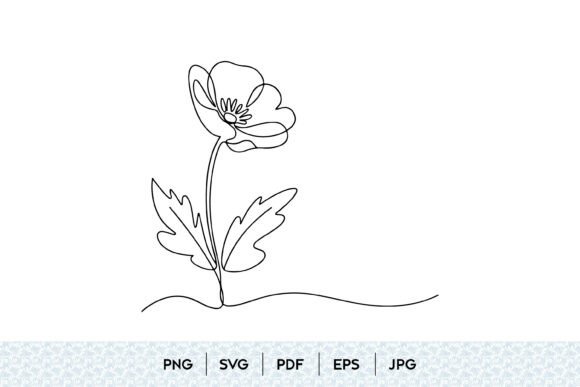
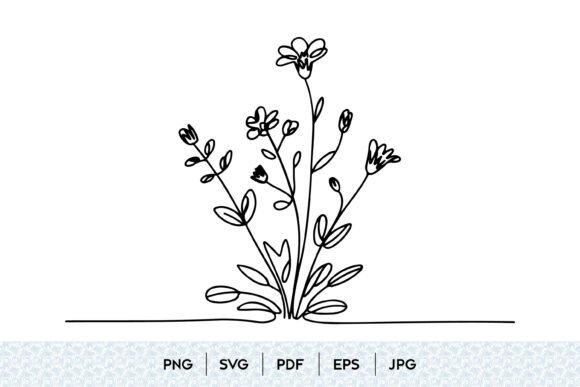
Not all botanical line art is created equal. A design that looks stunning on a screen may be a nightmare to cut or print. A frequent oversight is failing to check the complexity of the contour line art. Intricate hand drawn wildflower designs often contain thousands of tiny nodes. For a laser cutter or a vinyl cutter, this can mean excessive cutting time, material waste, or the machine simply refusing to process the job.
Before committing to a design for physical production, zoom in to 400% or more. Look for stray points, overlapping lines, or gaps in the floral outline drawing. A high-quality vector flower clipart should have clean, closed paths. If you are using the design for a floral tattoo design or fine-line printing, ensure the lines are consistent in weight. Inconsistent stroke widths can look artistic on screen but may appear broken or muddy when printed at small sizes.
Better Approach: Always simplify your paths if possible. Use the "weld" or "unite" functions in your design software to merge overlapping shapes. For intricate boho floral decor, consider whether a solid silhouette might be more effective than a detailed line drawing for your specific application.
Misunderstanding Licensing and Commercial Use
Many creators assume that purchasing a digital download grants them unlimited rights to resell the artwork as-is. This is a critical misunderstanding. Most standard licenses for decorative botanical clipart allow you to use the files in end products—such as t-shirts, mugs, or wedding invitations—but prohibit selling the raw SVG or PNG files themselves.
Failing to read the license agreement can lead to legal issues and account suspensions on platforms like Etsy or Amazon KDP. Additionally, some artists restrict the number of physical units you can sell using their designs. If you are scaling a business, verify whether you need an extended commercial license. This is particularly important for trendy botanical svg packs that are popular across multiple marketplaces.
Neglecting Color Profiles for Print vs. Digital
When preparing black and white flower art or colored botanical illustrations for print, color profiles matter. Screens display colors in RGB (Red, Green, Blue), while printers use CMYK (Cyan, Magenta, Yellow, Key/Black). A vibrant aesthetic floral svg on your monitor may look dull or shifted when printed if not properly converted.
For printable flower art, always check if the provider offers CMYK-ready files or guidelines. If you are working with simple line drawings, this is less of an issue since black ink is standard. However, for modern floral illustration with subtle gradients or watercolor effects included in the PNGs, ensuring proper color management prevents disappointing results. Test print a small section before running a full batch of printable botanical decor.
Choosing Style Over Functionality
It is easy to be drawn to highly abstract or overly complex artistic botanical drawings because they look unique. However, consider the end user or viewer. For branding, clarity is key. A minimalist flower svg often communicates elegance more effectively than a cluttered abstract flower illustration.
If you are designing for a wedding invitation, a delicate elegant floral branch works beautifully. But if you are creating a logo for a rugged outdoor brand, a sturdy garden flower illustration with bolder lines may be more appropriate. Match the style of the feminine floral art or masculine botanical sketch to the brand identity, not just current trends.
Key Checks Before You Download or Buy
To ensure you are getting value and usability from your wildflower bouquet svg or individual elements, perform these checks:
- Preview the Nodes: If possible, view the SVG in a vector editor before purchasing to check for clean paths.
- Verify Included Formats: Ensure the bundle includes both SVG for cutting and PNG for sublimation if you plan to do both.
- Check Scale References: Good listings provide size references. A simple flower sketch might be too small for a large sign without significant redesign.
- Read the License: Confirm if commercial use is allowed and if there are restrictions on print-on-demand services.
- Look for Layered Files: For complex creative botanical designs, layered SVGs allow you to change colors of individual petals or leaves easily, saving hours of editing time.
By paying attention to these technical and practical details, you transform a simple purchase into a powerful asset. Whether you are creating nature inspired decor or professional marketing materials, choosing the right wildflower botanical line art svg and using it correctly ensures your work stands out for its quality and professionalism.